Clover’s Orbit & Shadow Observatory
Move the Moon. Watch the light change.
Turn a model Moon around a model Earth and see the bright part change shape. Slide it into a shadow, line up the eight planets, then hang three of your own observations together in a sky display. The question is always the same one a scientist asks: what changed, and what made it change?
Play the free gameNo account, purchase or email needed. Touch, mouse and keyboard controls, on phones, tablets and computers.
Move it, then notice
Three instruments, each one a thing to move with a finger, a mouse or the arrow keys. Drag the Moon and its lit shape changes as it goes. Slide it into a shadow and see what happens to the Sun or the Moon. Put planets in order or into groups. Every answer the game accepts is one a child could really have reasoned to, so there is often more than one right way.
Plenty to come back to
30 quests, each a small investigation that lights a star: 10 to start with and 20 bonus ones to replay with new starting points. Plus free play, a small maker for up to 6 challenges of your own, 18 example observations, a notebook of up to 48 of your own and 18 discovery cards. No timers, lives, streaks or locked tools.
Guess & peek is a prediction game with 22 picture stamps to collect: guess what Earth will see at a Moon phase, whether the Moon will cover the Sun, or which planet is speaking, then peek to find out and read why. A wrong guess is a surprise, never a loss, and no stamp is ever taken away.
Keepsakes and a quiet play space
Hang three observations in a sky display, add a star picture you drew, and save it as a picture file. The play area has no advertising pixels, retail analytics, shop offers or accounts, and progress stays in this browser. Sound, read-aloud and movement each have their own switch.
Three instruments
Moon Machine
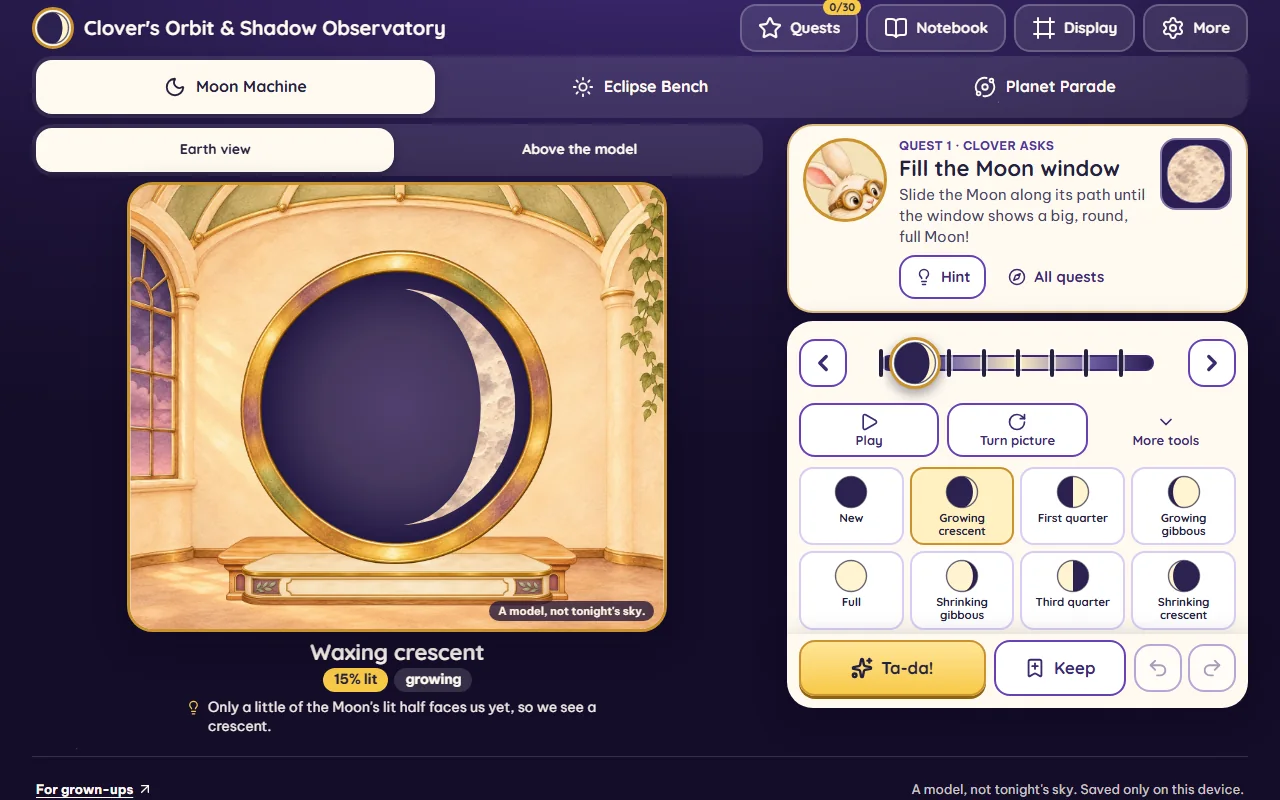
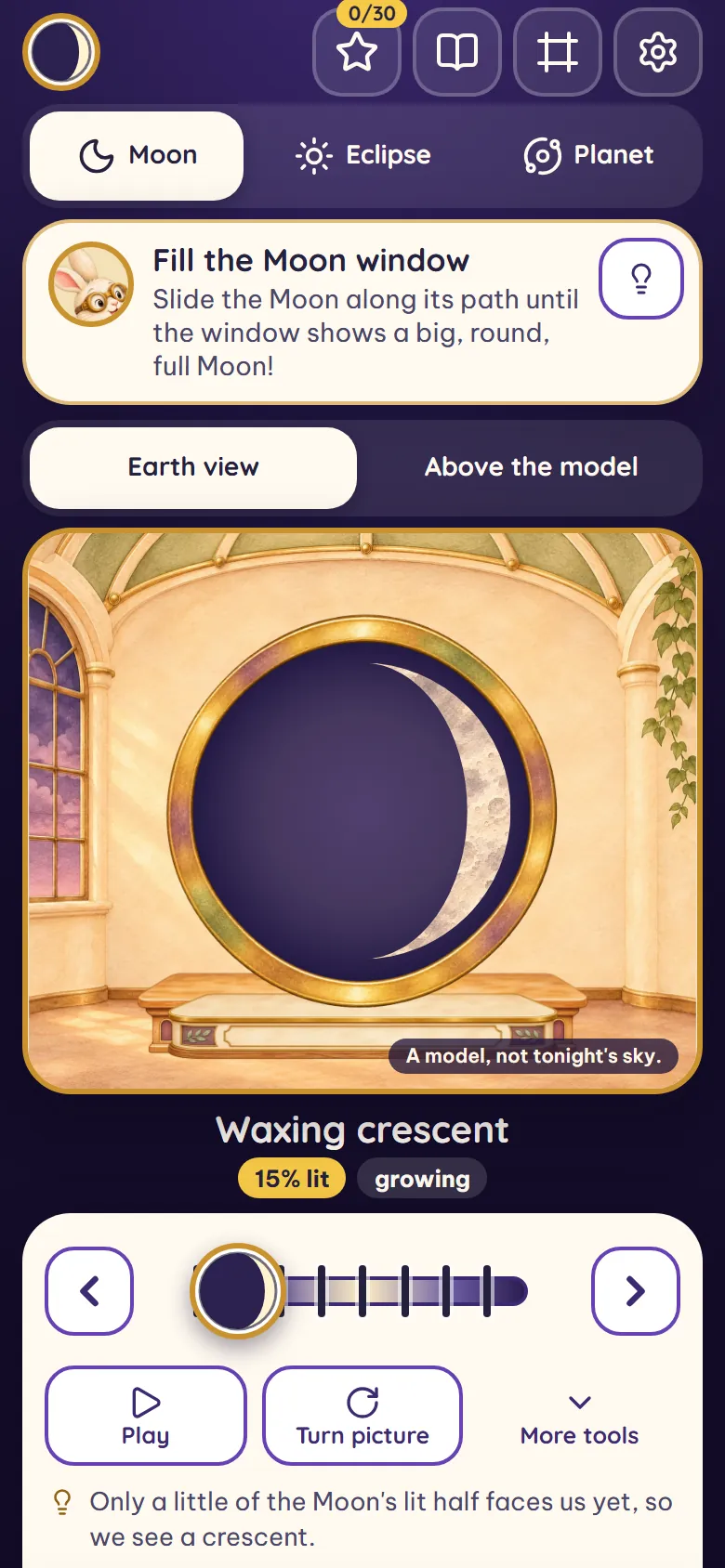
Turn the Moon one degree at a time or play a whole cycle. Switch between Earth’s view and the view from above, turn the picture upside down to see why the same Moon can look different, and compare two views side by side. A short line under the picture says why the Moon looks as it does.
Eclipse Bench
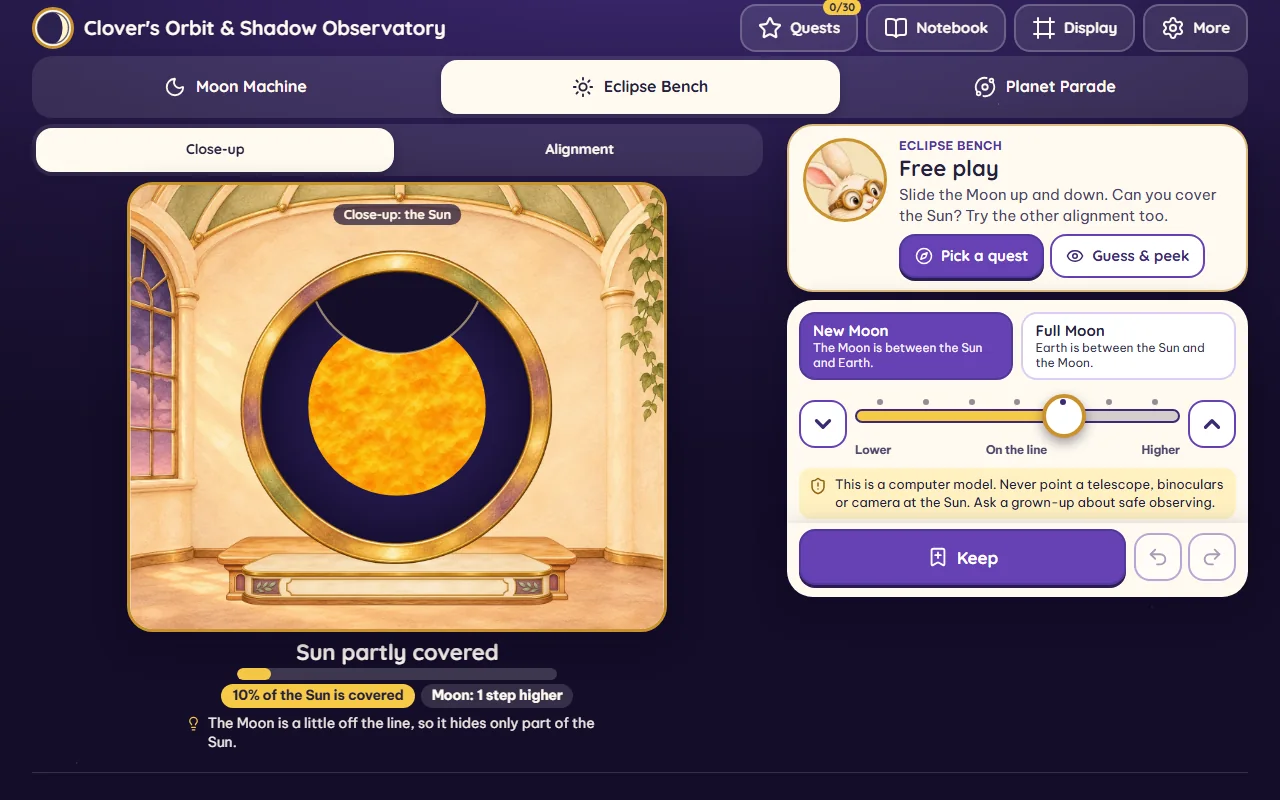
Choose a New Moon or Full Moon alignment and slide the Moon through seven heights to see when a shadow falls, and when it misses. A model, so it shows the idea, not a forecast. A short line says why the Moon covers the Sun, or not.
Planet Parade
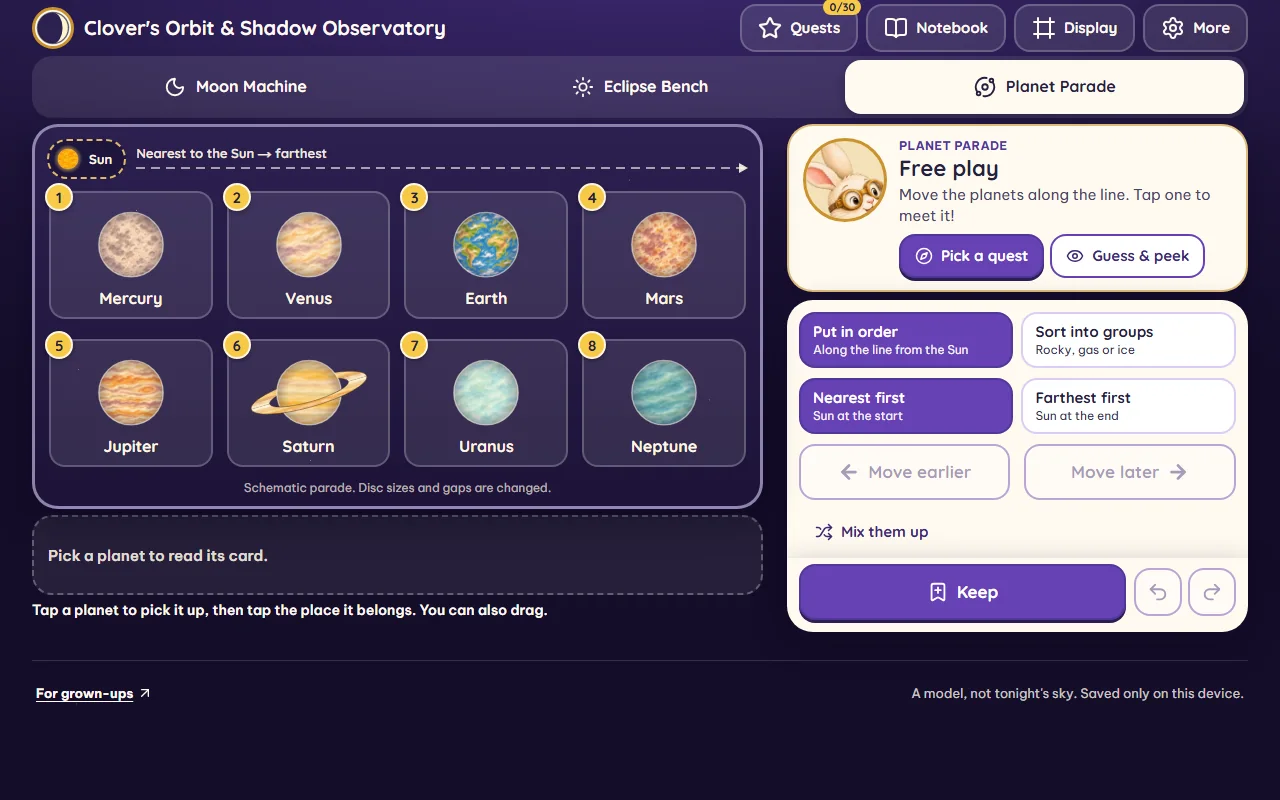
Put 8 planets in order from the Sun or sort them into rocky planets, gas giants and ice giants. Tap, drag or use the buttons and the keyboard. Every planet found earns a small fact card with something to know.
A sky display to keep
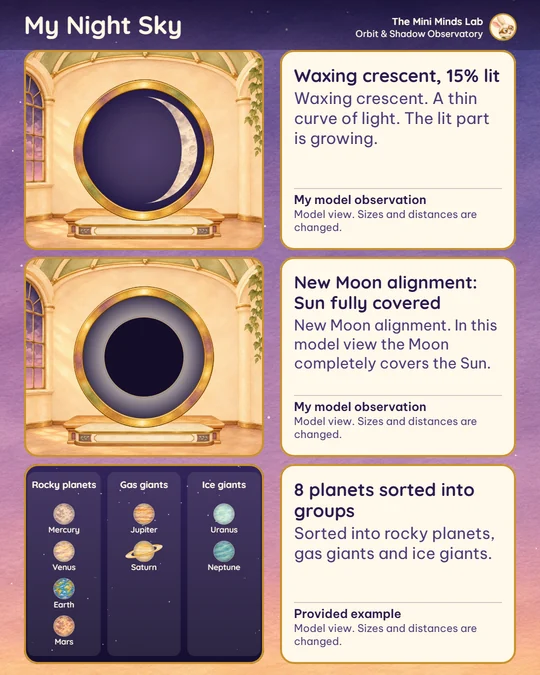
A display holds three real observations the child chose, a title from a fixed list and one of three night skies. Each panel keeps its caption and where it came from: a view from the game’s examples, or one the child kept. An optional star picture, drawn by joining up to 12 lines between invented stars, sits at the top and says it is invented. The display is drawn on the device and saved as a 1080 × 1350 picture file that looks just like the one on screen. Nothing is posted anywhere; a grown-up decides what to do with the file.
Up to 6 displays can be saved on the device. Children never type names or messages, and a display never shows a name or a date.
Made for small hands and any screen
The same game fits a phone held upright, a tablet and a computer. Anything you can drag has a button or keyboard way to do the same job, and a Calm setting makes pictures jump instead of glide. It follows the device’s reduced-motion setting by default. Every spoken word is also written on screen.
For grown-ups
What children practise
- Noticing that the Moon’s shape changes in a steady, repeating order as it moves, and that a crescent that is growing is not the same as one that is shrinking.
- Comparing two views by how much of the Moon is lit, and finding a different phase that is just as bright.
- Telling a Moon phase apart from a shadow: the Moon’s own lit side and Earth’s shadow are different things.
- Reasoning about order and groups with eight planets, and keeping a model apart from the real thing: the pictures are not to scale.
- Telling a small story with evidence by choosing real saved observations for a display.
Designed for ages 5–8 with grown-up support, with optional comparison and curating challenges for ages 7–10. A guided quest takes about 3–6 minutes, and free play is always available. These are design targets that are still waiting for playtesting with children.
A model, not tonight’s sky
The Observatory is a teaching model. It never shows the real Moon, the real Sun or the sky above you, and it does not use your location. Sizes, distances, timing and the “height” of the Moon in the eclipse bench are schematic. The Moon’s phases are drawn from simple geometry, one degree at a time, with the lit part always facing the Sun. The eclipse bench shows when a shadow could fall in the model; it is not a forecast. The planet station teaches order and groups and does not show orbits, surface temperatures or true sizes. The star pictures children draw are invented designs, not charts of real constellations.
Looking at the real Sun
Everything in the game happens on the screen. It includes no telescope, binocular or camera activity, and it shows a reminder beside the solar eclipse model. Never look at the Sun directly. For real eclipses, please read NASA’s eclipse viewing safety guidance first.
A Moon you can hold
A table lamp and a pale ball or rolled-up white sock
Set up. Keep the lamp still. From a few steps away, hold the Moon at arm’s length, a little above eye level.
Say it aloud. “Turn slowly. Can you find a shape you’d call a crescent?”
Take turns. Let your child find a view, then turn a little farther and come back to it. Switch who holds the Moon.
Play it another way. Can you find a view with the same amount lit on the other side?
More ways to play together
- In a dim room, shine a torch on a ball. Hold the ball at arm’s length and turn slowly on the spot. What shapes of light do you see on it?
- Look for the Moon on a few different evenings and draw what you see. Does the shape change? Which side is lit?
- Put the eight planets in order using your hands as the planets and a lamp as the Sun. Which are small and rocky? Which are the big giants?
Please keep real-world activity to looking, drawing and talking, and keep to the NASA guidance above for anything about the Sun.
Related printables
Printable activities from the shop that explore the same topics, away from the screen:
Moon phases
Moon Phases Discovery PackThe Moon Machine shows all eight phases as one smooth turn. This is the same idea on paper.
Solar and lunar eclipses
Solar & Lunar Eclipses Printable for Kids Ages 4–7The Eclipse Bench is a model of when a shadow falls. Printables like this one are good for drawing and talking about it.
The eight planets
The 8 Planets Printable Workbook for KidsRocky planets and giant planets
Rocky Planets vs Giant Planets Printable Activity PackThe Planet Parade sorts the eight planets into rocky planets, gas giants and ice giants.
Constellations and star maps
Constellations & Star Maps Printable for Kids Ages 4–7Star pictures in the game are invented designs. This printable is about real star patterns.
A whole space collection
Space Discovery Bundle for Kids
The existing guest-checkout flow applies to any purchase. Marketing consent is separate. Playing never subscribes anyone.
Device-local work and privacy
This browser keeps the progress through the 30 quests, up to 48 kept observations, 6 sky displays, 6 challenges, the star picture, the cards found and the settings, for this game only. Everyone who uses the browser shares them. Clearing the browser’s data, using a private window or switching device starts a fresh game, and More in the game can start over. There are no child profiles, names, typed messages, dates, cloud saves or accounts, and sky displays are drawn on the device: nothing is uploaded.
The play area loads no advertising, retail analytics or pixels, shop offers or checkout scripts, and it does not look up the current sky, a location or any online service. Leaving it opens this page, which uses the site’s normal analytics preferences. The handoff is not legal consent or age verification. See the privacy policy and cookie policy. Before any public launch, hosting logs and the child-directed privacy wording still need an owner review.
Sound, read-aloud and movement
Sound effects are small made-up sounds (clicks, chimes and a soft whoosh), made on the device, and can be switched off in More. They only play after a child taps something. “Read to me” is off until switched on. Then a Listen button appears beside the question and reads the same words that are on the screen, using a voice that is already on the device; nothing is sent to a speech service, and if the device has no voice the game says so. No microphone is used. Movement can be set to Calm, and it follows the device’s reduced-motion setting by default.
What has been validated?
The game is a discovery activity, not a measure of intelligence or mastery. Its science rules (phases, shadows, planet order and groups, and the check for every quest), its saved-game format and its sky display are covered by automated tests. Its screens were checked in a desktop browser at phone, tablet and desktop sizes, with keyboard-only play, a zoomed window and reduced motion, and an automated accessibility scan found no detectable problems on its main screens with the page at the top (such scans cannot find everything, and while the page is scrolled the floating header can sit over part of a button). Sky displays were saved as real picture files and inspected.
Still needed before any claims about enjoyment or learning: playtesting with children and their grown-ups, a science educator’s review of the wording, testing on real phones and tablets and with assistive technology, and a pronunciation review of the read-aloud on common devices. The illustrations were made with AI image tools from written descriptions and a shared style guide, then checked for size and placement. They have not yet been reviewed by an illustrator.
Where the facts come from
These sources support selected facts and the teaching limits above, not the generated artwork, the age targets or any claim about learning. Each link was opened and read on 3 November 2026.
NASA Science: Moon phases
The eight familiar phase names repeat through a cycle of about 29.5 days. The game's diagrams are schematic and it never shows tonight's sky.
science.nasa.gov · checked 3 November 2026
NASA Science: Top Moon questions
One trip around Earth measured against the stars takes about 27.3 days, which is different from the roughly 29.5 days between matching phases. The game does not label its phase cycle as one orbit.
science.nasa.gov · checked 3 November 2026
NASA Science: Why do eclipses happen?
The Moon's path is tilted by about five degrees, so a new or full Moon does not cause an eclipse every month.
science.nasa.gov · checked 3 November 2026
NASA Science: Eclipses and the Moon
In a solar eclipse the Moon blocks the Sun for an observer; in a lunar eclipse Earth's shadow falls on a full Moon, which can look reddish. The game's colour is illustrative.
science.nasa.gov · checked 3 November 2026
NASA Science: About the planets
The order Mercury to Neptune and the groups: four rocky planets, two gas giants and two ice giants. The pictures do not show true size, colour, make-up or temperature.
science.nasa.gov · checked 3 November 2026
NASA Space Place: What are constellations?
Constellation pictures are patterns we see, not real lines between stars. The game's three star fields are invented layouts.
spaceplace.nasa.gov · checked 3 November 2026
NASA Science: Eclipse viewing safety
Guidance for watching a real eclipse. The game keeps everything on the screen and has no telescope, binocular or camera activity.
science.nasa.gov · checked 3 November 2026
Each planet’s two “did you know” lines (on its card, on its discovery card and in the Guess & peek riddles) come from its own page on NASA Science, opened and read on 5 November 2026:
These lines are plain statements, not measurements: the planet pictures are schematic, so the game gives no sizes, distances, times or temperatures. A science educator has not yet read them.
The 3 star fields are invented layouts made for the game.